
Channels with locks are needed to show the subscriber that there are channels in the service that he can subscribe to in addition to those for which he already has a subscription. Or with the help of locks, you can seem to the user that his subscription to the service has ended in this case, the user will be allowed to enter the application and he will see his entire list of channels blocked (this case is very useful, since the application does not just knock out the user, but gives him the opportunity to surf the interface in search of a payment method).
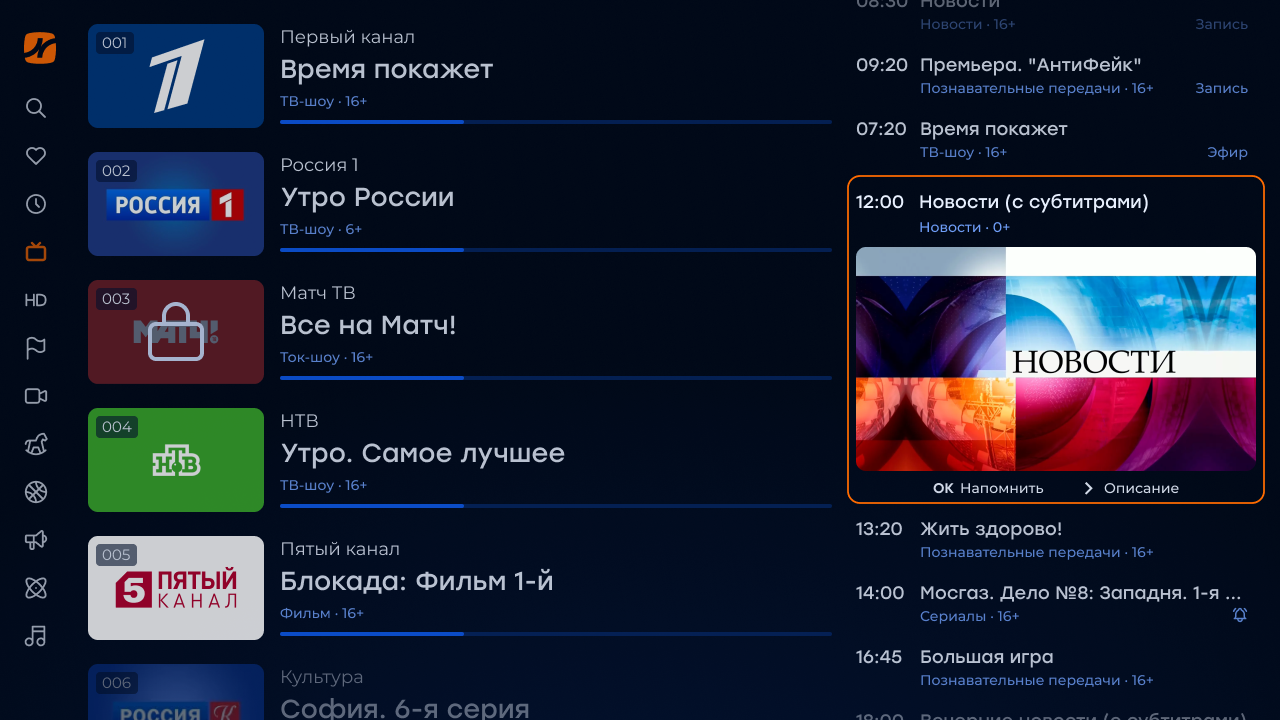
Locks for inactive accounts
- Create a tariff package « For inactive accounts » with options (the rest of the options can be left by default):
- Default-connected
- Cost — 0
- Hidden
- Access type — displaying content in the list without triggering
- Available only for inactive accounts
- We attach this tariff to all channels through mass editing
- Also hang it through mass editing or Billing API script to all current subscribers (new it will connect automatically when registering)
- Ready — when deactivating the account, this package will be available to the subscriber, which will show him all possible channels, but with locks and without the ability to run
Locks for showing channels that can be connected
- Create a tariff package « Locks » with options (the rest of the options can be left by default):
- Default-connected
- Cost — 0
- Hidden
- Access type — displaying content in the list without triggering
- We attach this tariff to all channels through mass editing
- Also hang it through mass editing or Billing API script to all current subscribers (new it will connect automatically when registering)
- Ready — subscribers will see in the list not only channels that are included in the connected, but in general all available.
How to add a flow plug for a channel with a lock?
On the channel page in the block «Broadcast options» you should prescribe a link to the stream-stub, and in client.js include the option request_url_for_locked_channels
In addition to the stream-stub, you can also prescribe a url for the channel on the banner-stub, which will be displayed on top of the stream-stub (the banner is displayed only if there is a stream-stub).
